DTUPC
DTUPC is a DTU service that enables all IT support units to deploy Windows on a wide range of computer models with a predefined software set. It is configured to retrieve monthly Windows updates. Firmware and drivers are also updated for many HP, Dell, and Lenovo models. A Windows computer installed via DTUPC has BitLocker enabled by default. Users can also install a variety of software through DTU Software Center, available on the desktop and/or in the Start menu.
DTU Software Center
DTU Software Center is a tool that allows you to install software without needing Local administrator privileges. You can find a link to DTU Software Center either on your desktop or in the Start menu.
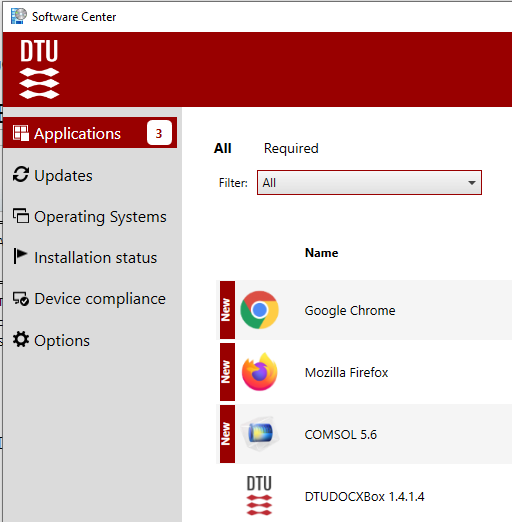
Available software can be found under Applications. If a license is needed, read the notification/text.
DTUPC and Windows Updates
Windows Update for Business is the primary source for delivering Windows updates. It also provides drivers and firmware for a wide range of HP, Dell, and Lenovo devices. When updates are installed and a restart is required, you’ll receive a pop-up notification.
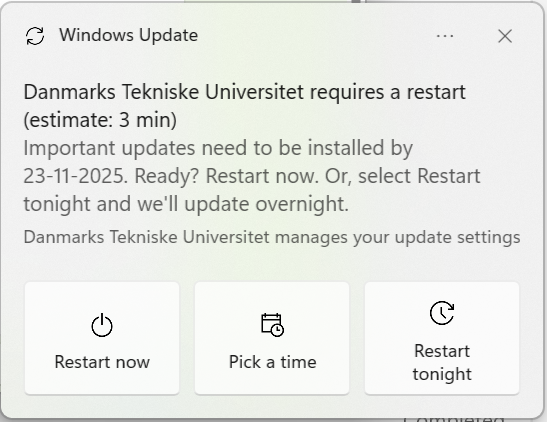
You can defer the restart for up to 3 days, after which the device will automatically restart.
It is crucial to schedule this at your convenience to avoid disruptions during important tasks such as presentations or when you have unsaved work.
If you choose to postpone the restart, you will receive a periodic reminder during the next 3 days and a final reminder with a countdown before the automatic restart.